
As a knowledge manager migrating to Seed Hypermedia, I want to import my existing documents and immediately understand the structure of my content
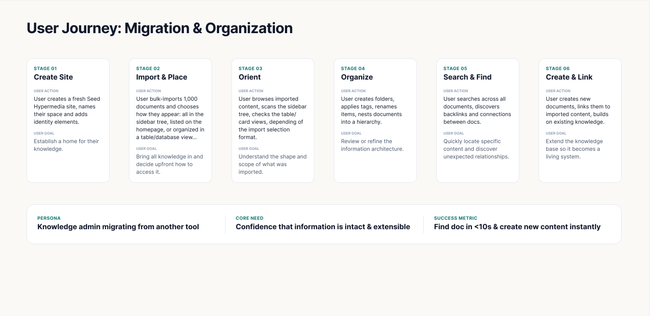
Design
Video prototype
Areas based on what we defined on the workshop
Acceptance criteria
File & Folder Handling
User can import documents into any existing space folder (e.g. Academic Papers, Machine Learning, Distributed Systems, NLP, Networking)
User can import documents into the root level of a space (outside any folder)
User can create a new folder during import to organize incoming documents
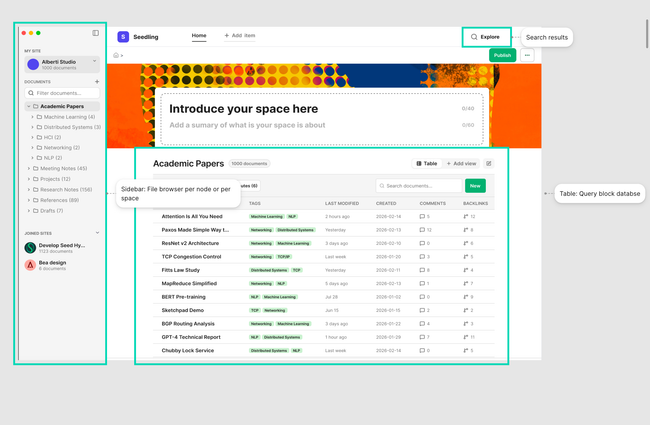
Imported documents appear in the sidebar document tree under the correct space and folder hierarchy
After importing a big amount of documents the sidebar and table serve different roles:
Sidebar: navigation structure, how content is organized spatially — folders, hierarchy.
Table: data view (a flat query pulling all documents regardless of where they sit, with filterable attributes)
Table & View Display
Imported documents are assigned a Name that reflects the original file name and appear in the Table view with all visible columns populated
The table view will offer different options to filter and view the documents.
Imported documents are filterable using the Filter option, and sortable using the Sort option
Imported documents appear correctly in all available views: List, Cards, and Graph. There will be Table option by default.
Imported documents are searchable via the search field ('Search documents...')
The attributes will be created by the import flow (what agent detected)
The Attributes panel allows toggling visibility of imported document attributes and add new attributes
If user creates "New" a new row will be created
When clicking one of the documents in any view will navigate to the subdocument
Document Actions within the sidebar
User can rename. duplicate or remove an imported document via the context menu
User can create subdocuments within an imported document
User can create folders within an imported document
Imported documents are associated with the correct site
Layout and mental model changes:
Primary navigation: The sidebar serves as the main navigation method, allowing users to browse and access all spaces, folders, and documents.
Secondary navigation (Header): The header bar acts as a supplementary navigation area — it does not replicate the sidebar's structure but instead lets users add custom links for quick access to frequently used pages or external resources.Width space for content must be increased for smooth navigation
Breadrumb to be moved to the top left side align with main call to action buttons
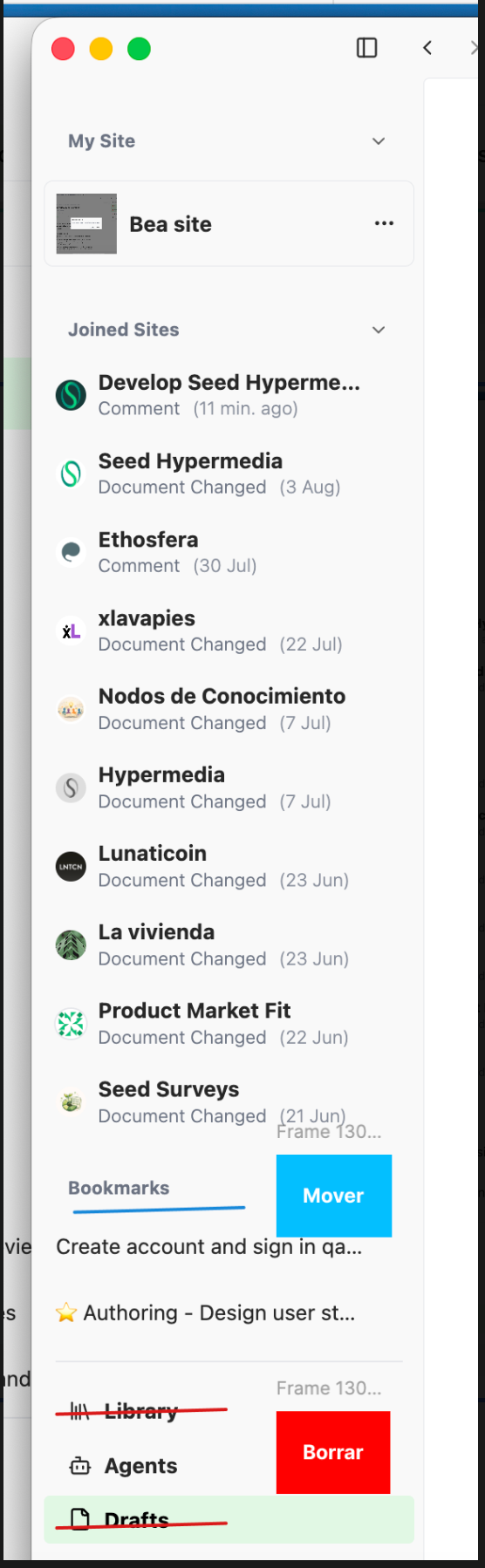
Clean the Sidebar:
Remove Library and Draft from the sidebar
Move Bookmarks to "My profile"
Agents should be more integrated in context (TBD)
Inspirations
Apple Notes
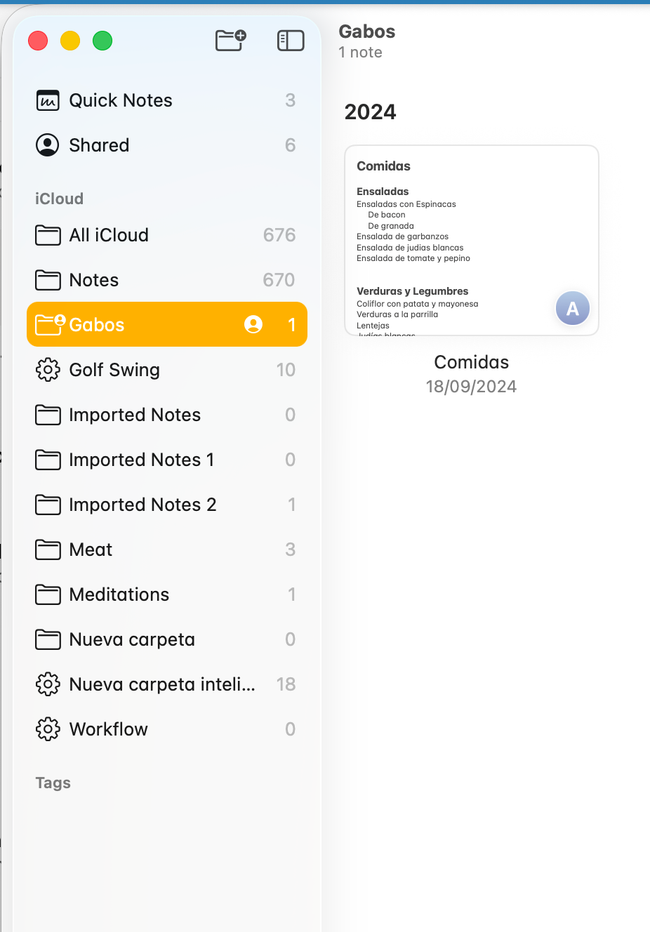
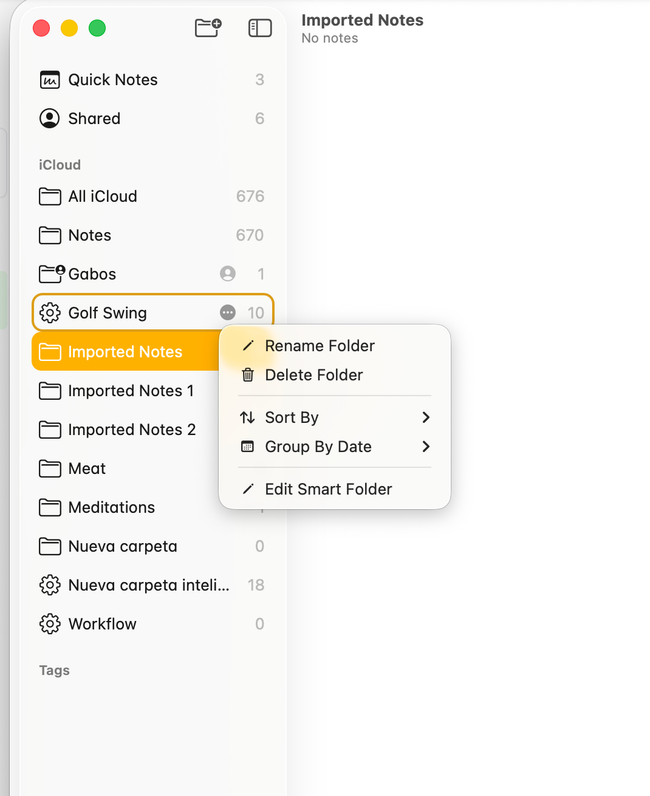
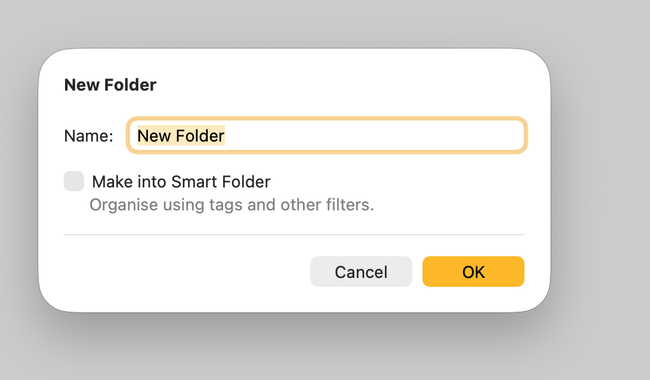
I like something like Create a New Document, with the option of Create a New Smart Document. A Smart Document would be a List/Database document.
Do you like what you are reading? Subscribe to receive updates.
Unsubscribe anytime